






One panel for your app
and its website, live.
See who is in your app and on your site right now, where visitors come from, how they use features and whether the new release helped. No analyst, no query building.
Free up to 100,000 events a month. No credit card.
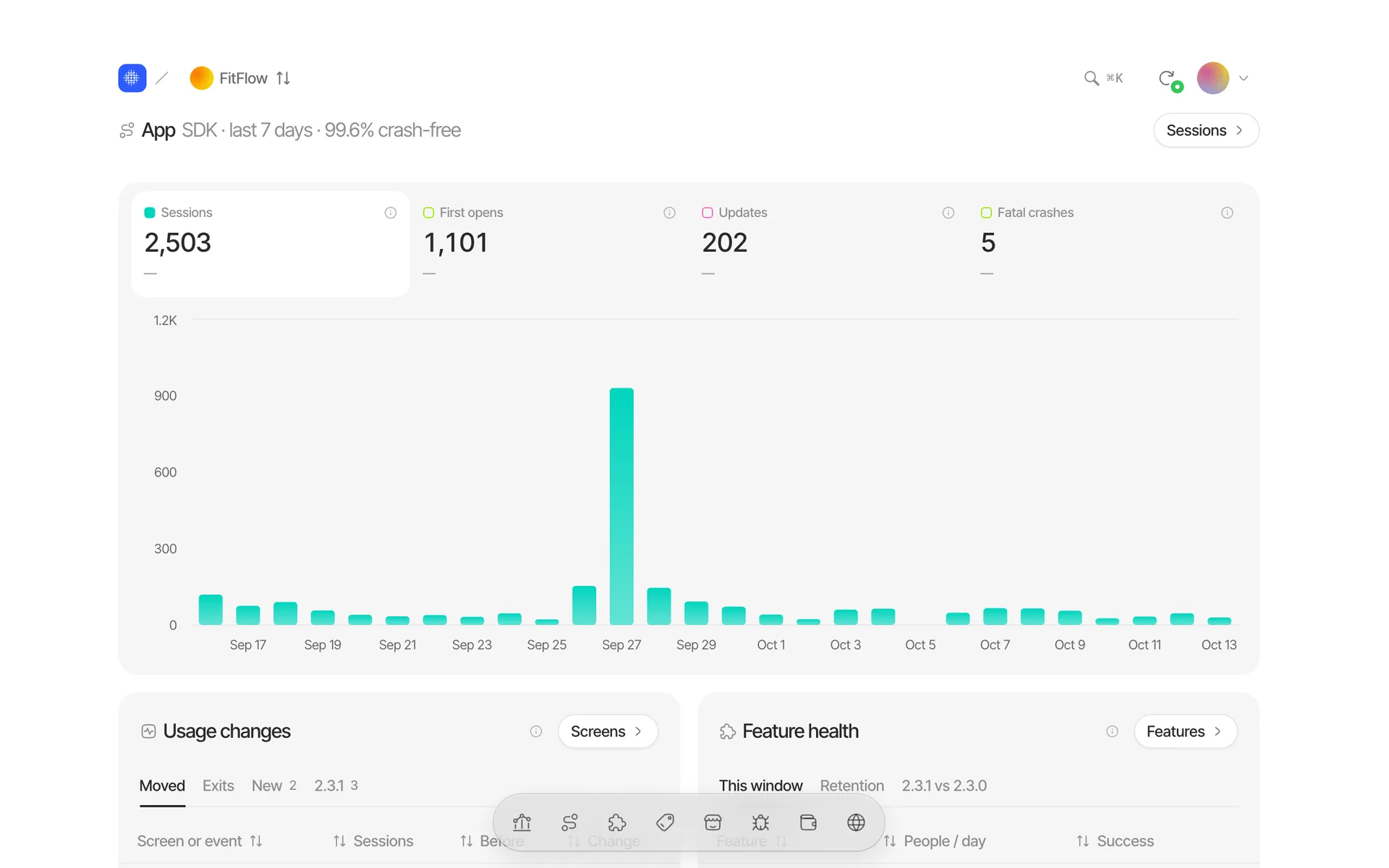
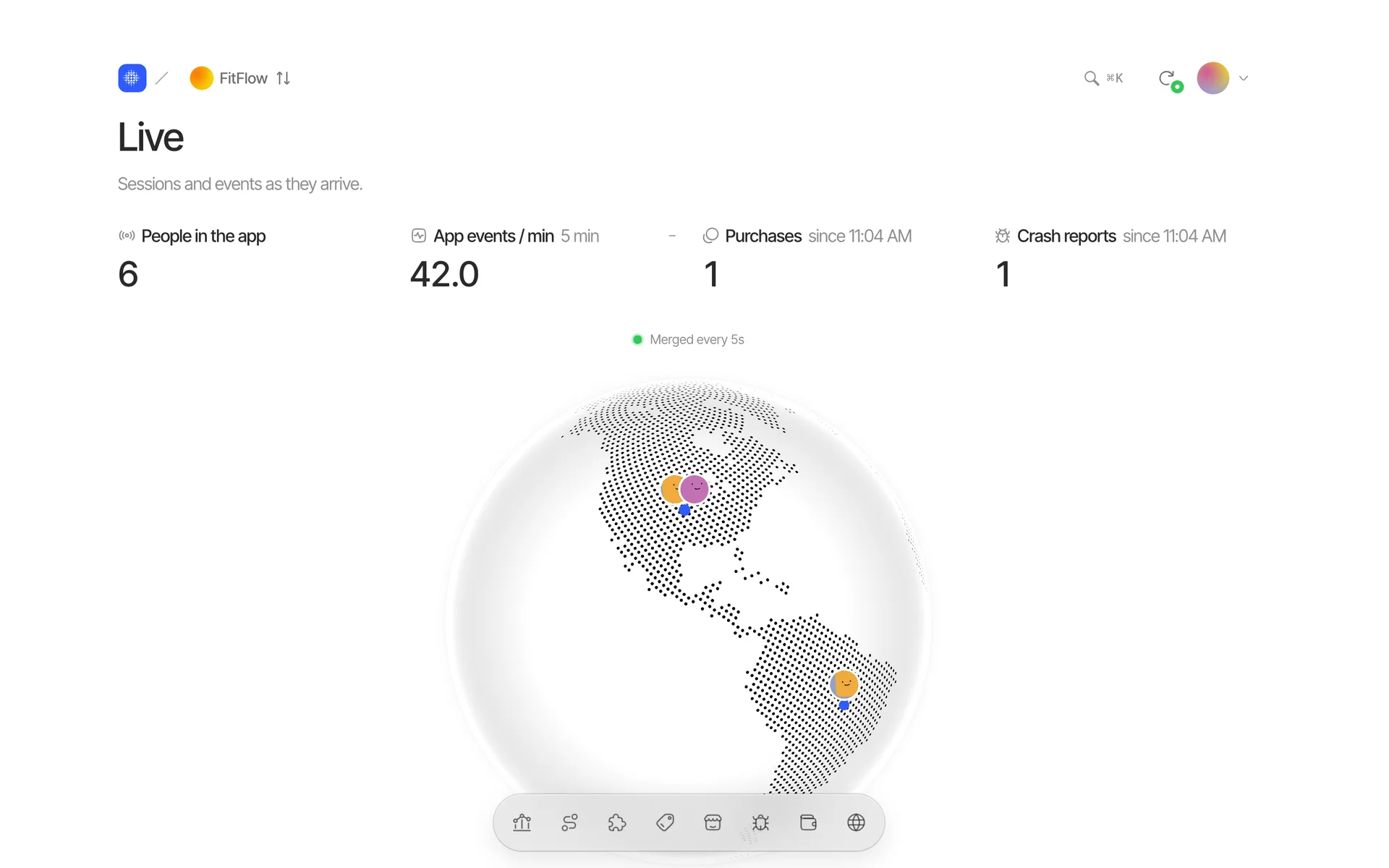
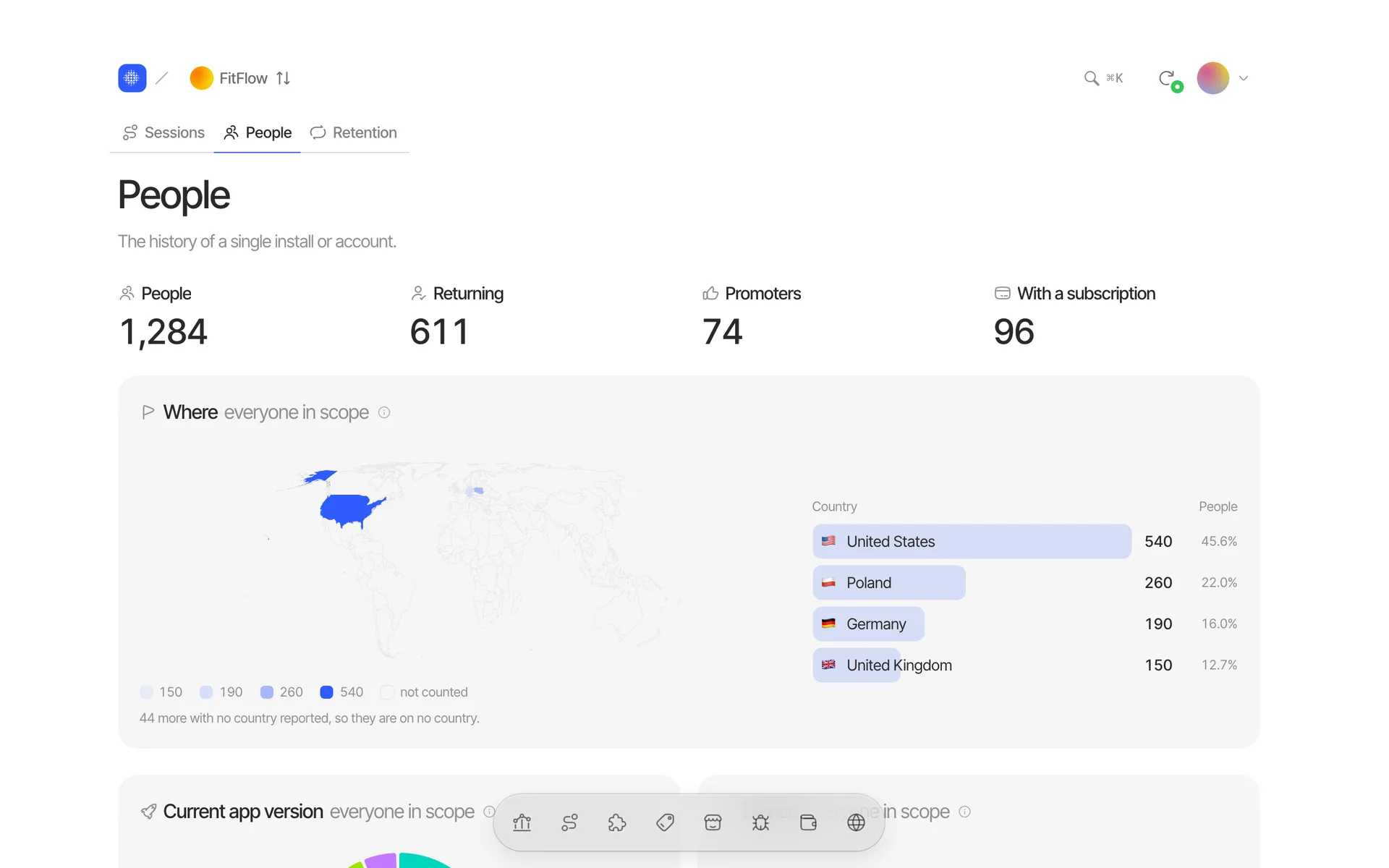
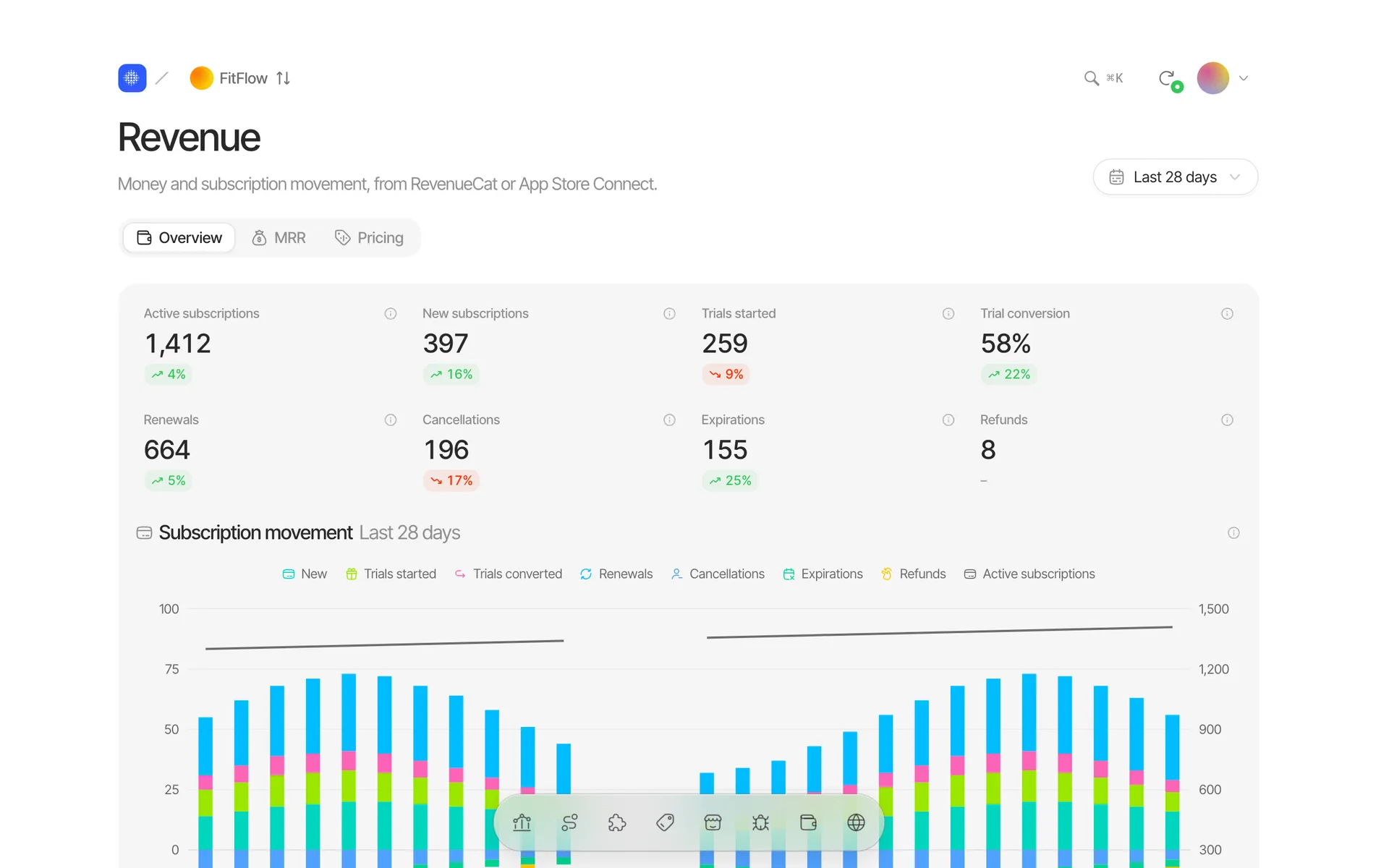
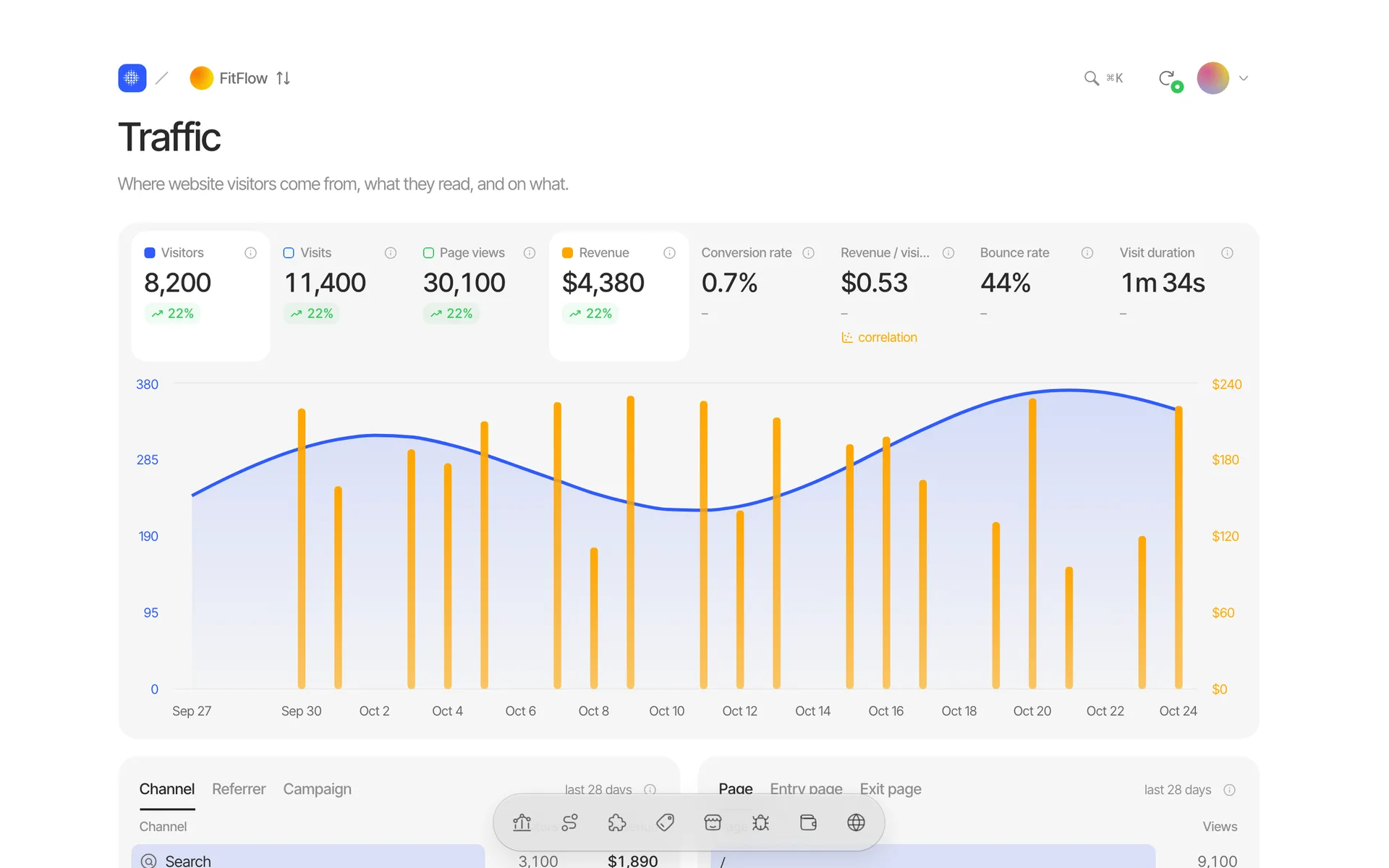
The app, its revenue and the App Store in three bands, each saying how fresh its numbers are.
One Swift package and one script tag, plus RevenueCat, Stripe, Paddle, App Store Connect, Apple Search Ads and Survicate next to them.
- Swift Package
- iOS 16+
- SwiftUI and UIKit
- One script tag, under 5 KB
- Cookieless by default
- Optional consent banner
- No IDFA, no ad id
The answers you check every day without a query builder.
See
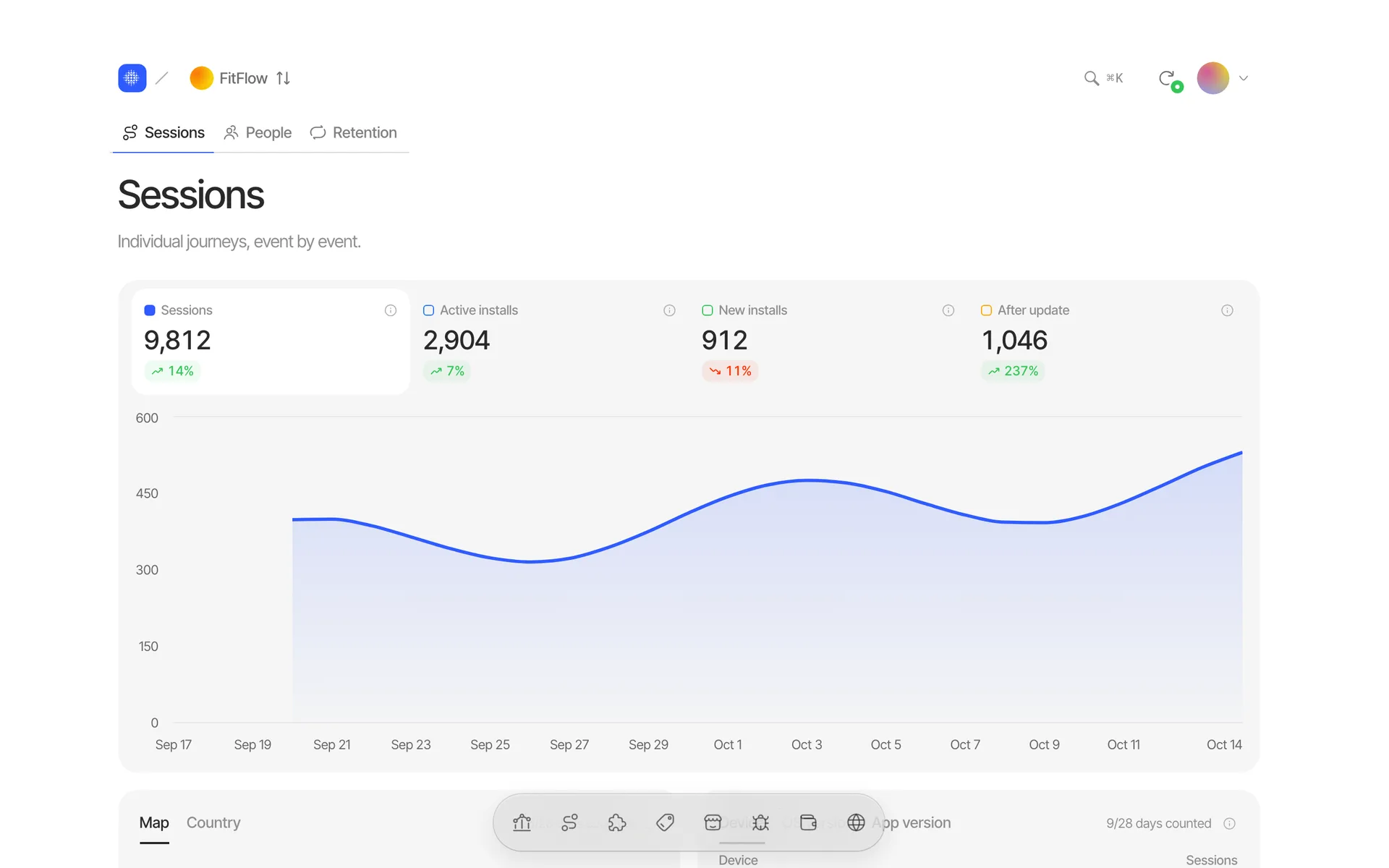
Every session, as it happens — and the person behind it.
- 01
Screens tracked for you
App lifecycle and screen views without a line of code; name the events you care about.
- 02
Offline-safe batches
Events queue on the device and ship in batches. IP addresses are truncated before anything is stored.
- 03
Server events
Your backend can report for an install too — kept apart from what the app measured.
Understand
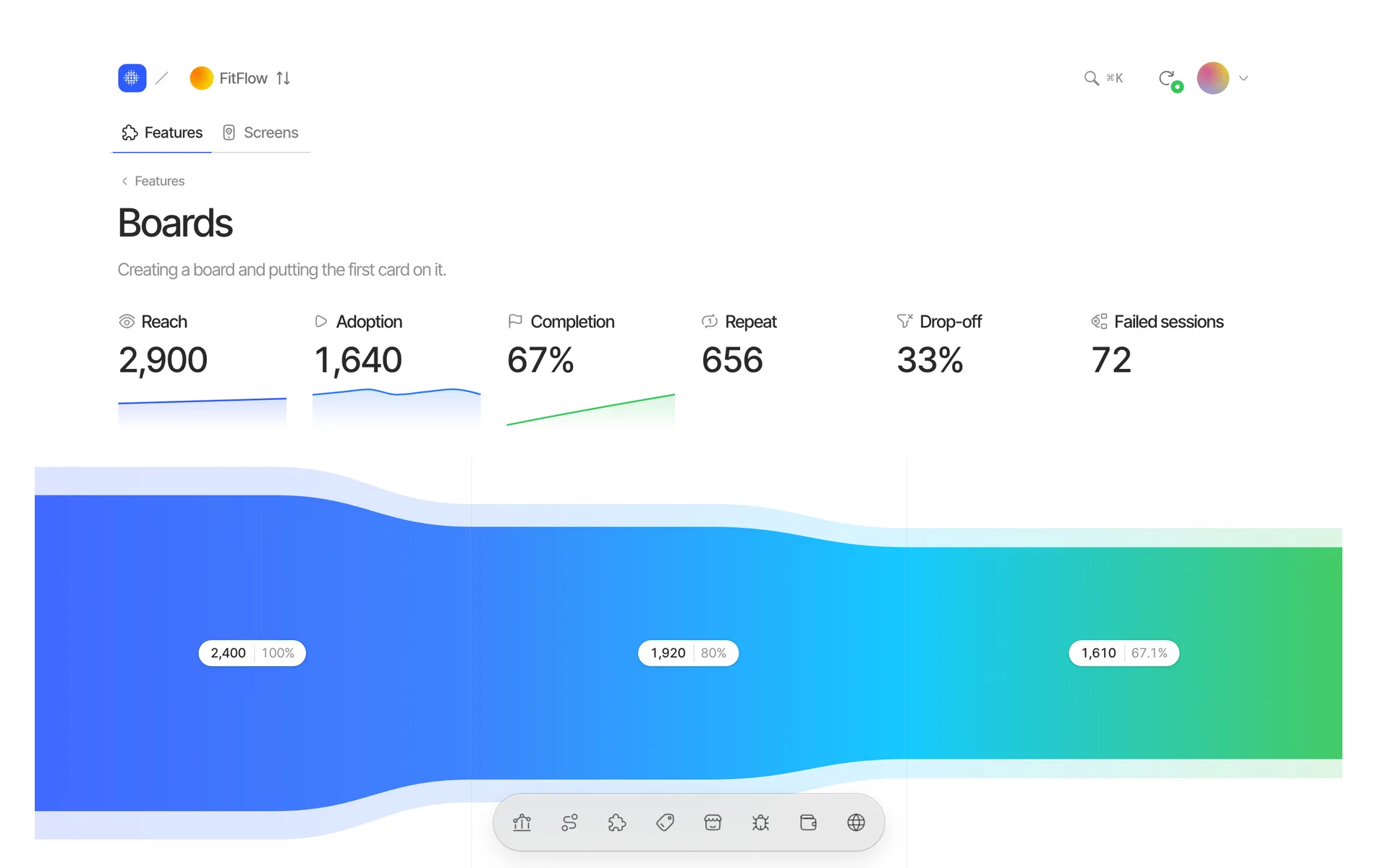
What people use, whether they come back, and what a release changed.
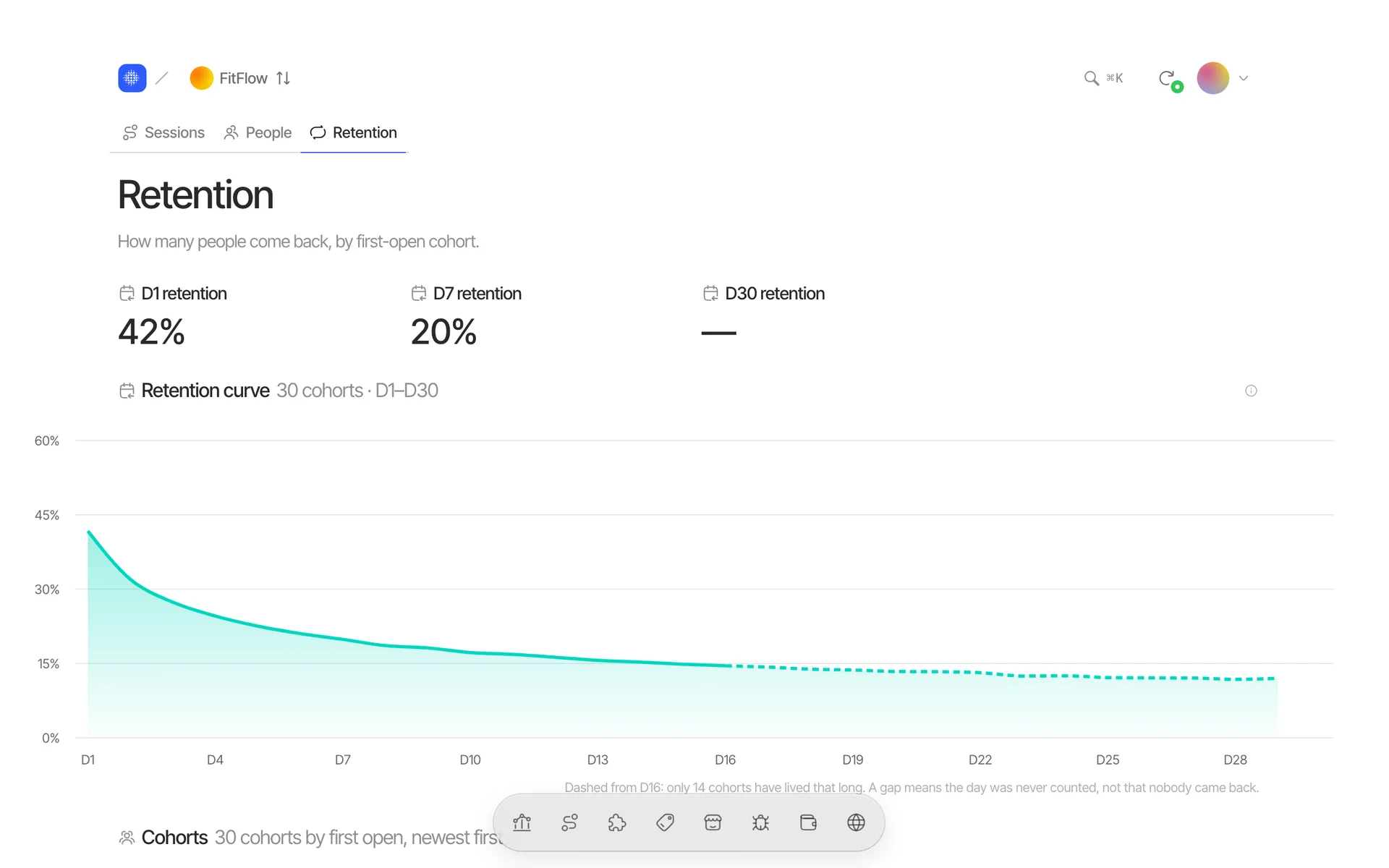
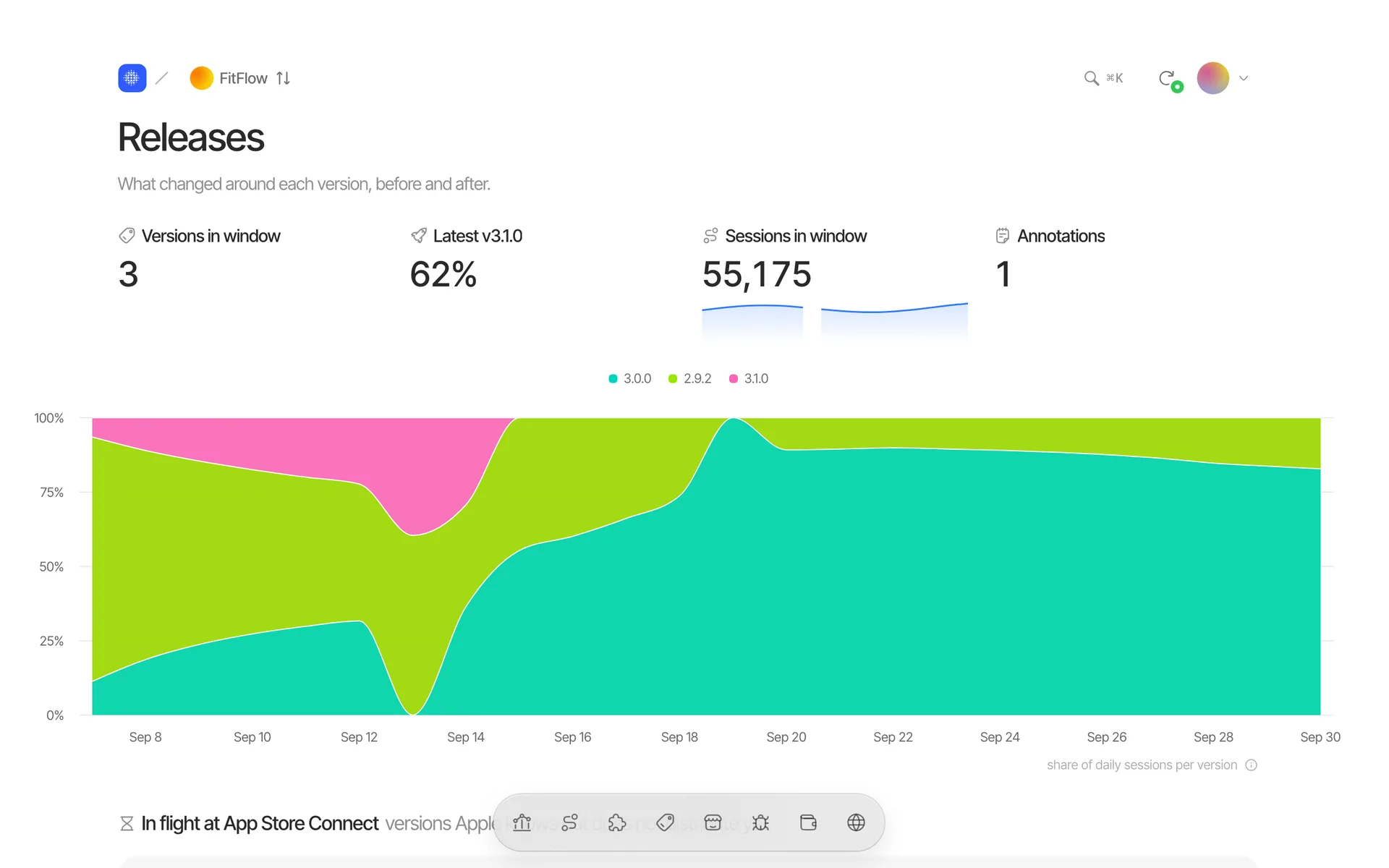
- 01
Declared, not guessed
A feature declared in the SDK is a definition; suggestions from names wait for your approval.
- 02
Every number has a definition
Each metric says what it counts and what it is compared with.
- 03
Correlation, never cause
Anything that moves with retention or revenue is labelled as a correlation.
Earn
Money and the people behind it — including the ones who leave.
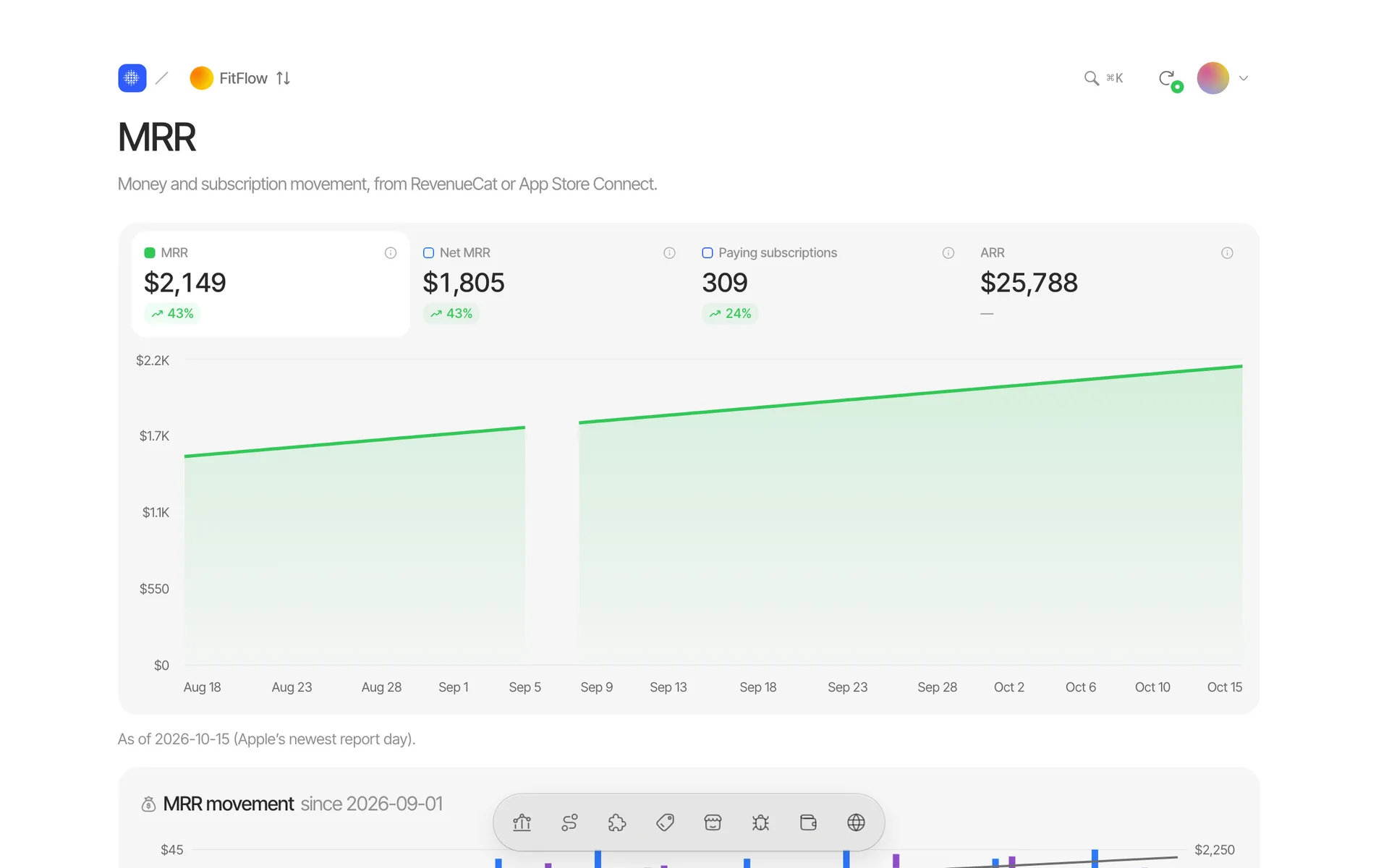
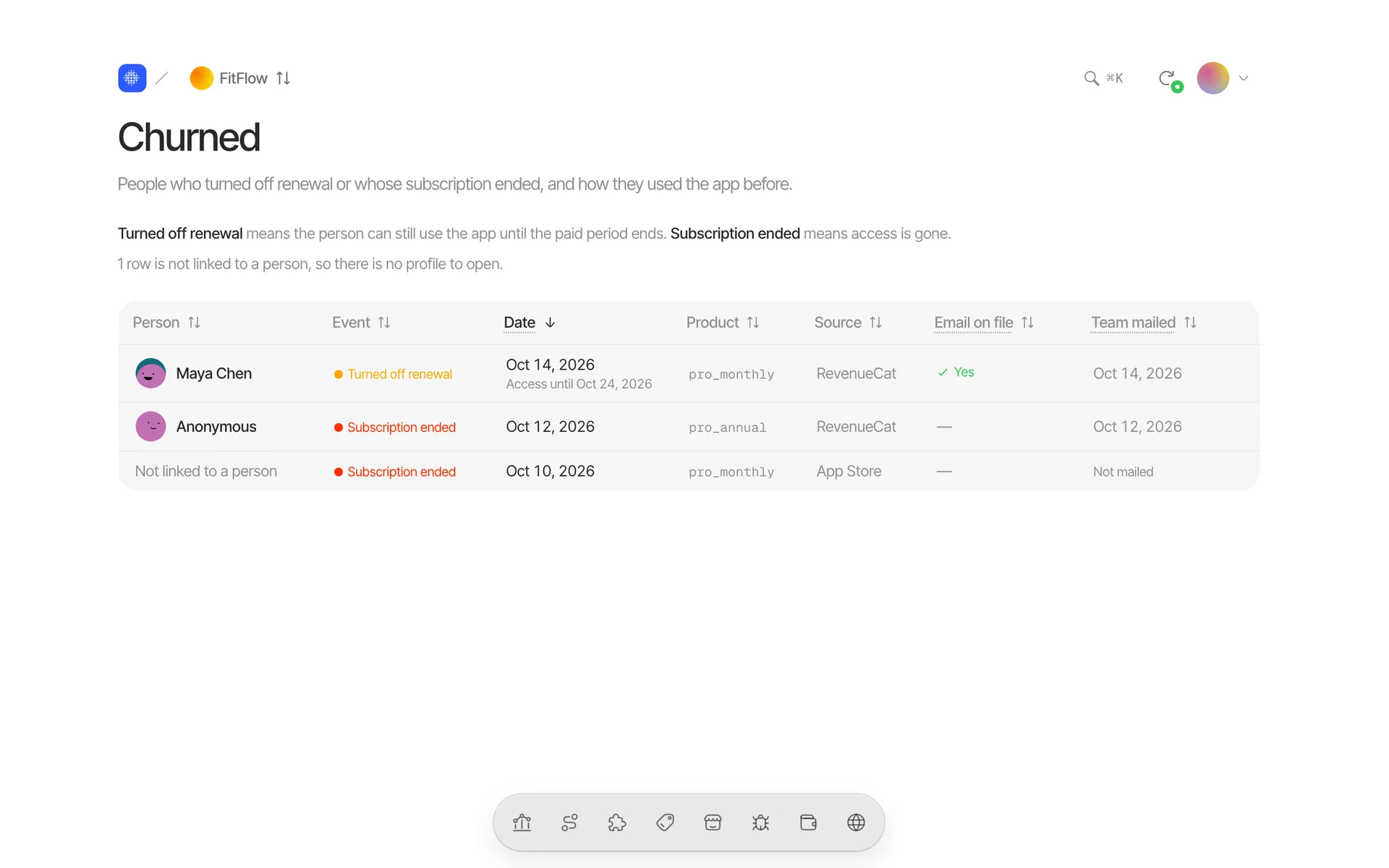
- 01
Counted once
RevenueCat and Apple describe the same purchases; Tapll counts one of them and says which.
- 02
Gaps are gaps
A day Apple has not reported yet shows as a gap, never a zero.
- 03
NPS next to it
Promoter, passive or detractor from Survicate — the score, never the comment.
One person, start to finish, and what to ask them.
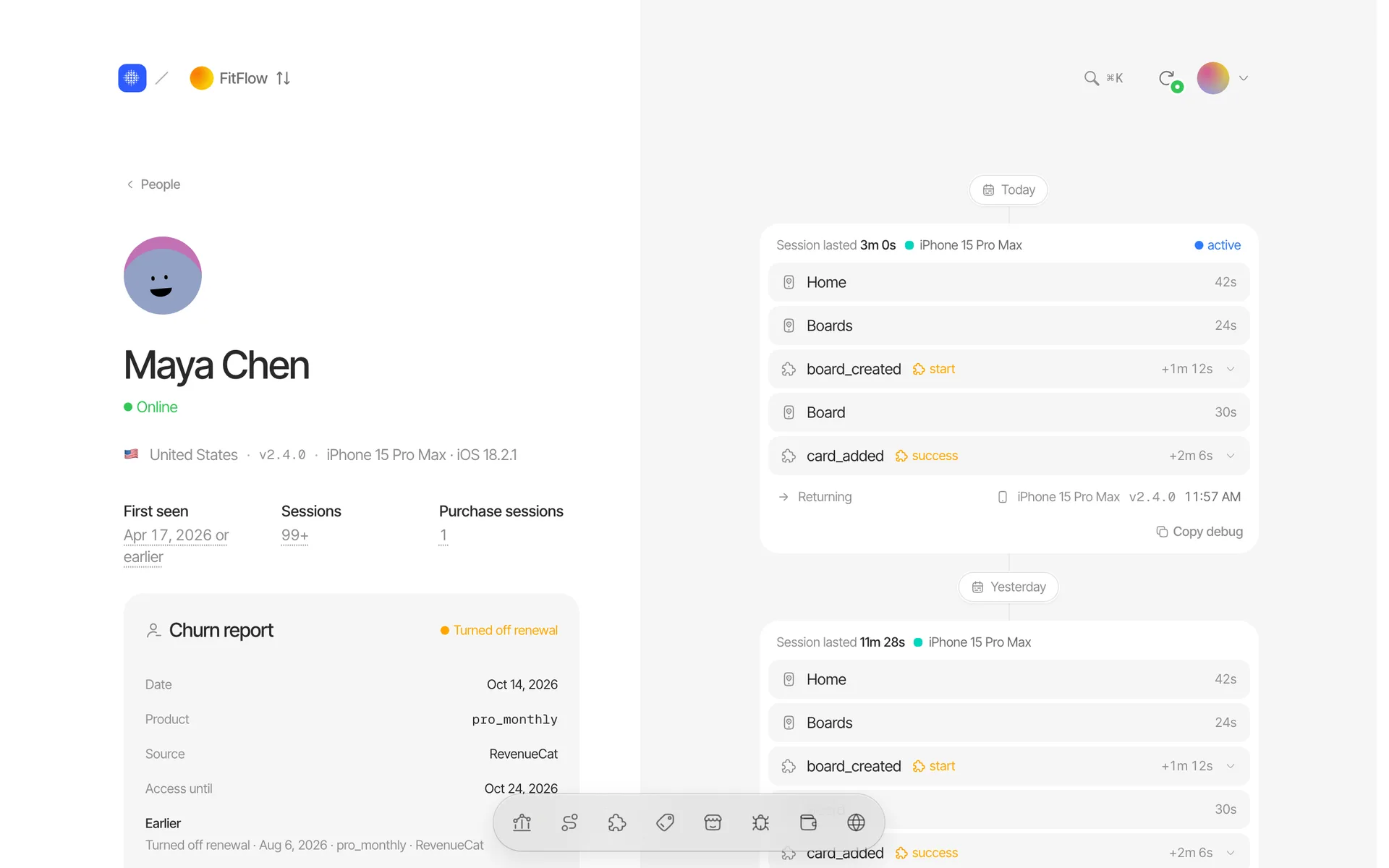
- 1
One person, every device
Signed-in and anonymous sessions joined into one account, with the country, device and build.
- 2
Their history in counts
First seen, kept sessions and the sessions with a purchase.
- 3
Churn report
When they turned off renewal, how they used the app before it, and a survey link with a message you send from your own mailbox.
- 4
Every session in order
The screens and events of each session, newest first, with the device it came from.
From sign-up to first session. About five minutes.
- 1
Add the Swift package
Paste one write key into Tapll.configure(). Screens and app lifecycle are tracked for you; declare the features you care about. A website joins the same project with one script tag.
import Tapll

Tapll.configure(writeKey: "av_…")
let checkout = Tapll.feature("checkout") checkout.start("checkout_started") checkout.success("order_placed") - 2
Connect revenue and the App Store
RevenueCat or Apple’s notifications for the app, Stripe or Paddle for the site, and an App Store Connect key. All optional.
- 3
Watch the first session land
Run the app or load the site. The first session shows up in Live within seconds, with the environment it came from.
For Claude Code, Cursor or Codex. See the prompt
# Set up Tapll in your iOS app

You are integrating the Tapll iOS SDK (https://github.com/tapll/tapll-ios, v0.5.0). This is the generic version of the prompt; the one in the Tapll panel (Settings → SDK setup) is filled in with the project's write key, privacy mode and integrations.

## Goal

Integrate the Tapll iOS SDK into this app. Tapll is product analytics and crash reporting for mobile apps: live sessions, screens, feature funnels, releases, retention, crashes and revenue. The SDK is a Swift Package with no third-party dependencies, no IDFA and no ATT prompt.

Work in four phases and do not skip ahead: **explore → install and configure → propose a feature plan and wait for approval → instrument and verify.** The rules below are enforced by the Tapll server. Most mistakes are not errors — the event is accepted and the numbers are quietly wrong — so follow them exactly rather than approximately.

## 1. Explore before you edit

Read the project and report back, before changing anything:
- The app entry point (SwiftUI `App` struct, or `AppDelegate` / `SceneDelegate`) and the deployment target. The SDK needs **iOS 16+**; if the target is lower, stop and say so.
- How screens are built and navigated (SwiftUI `NavigationStack`, tabs, sheets, UIKit view controllers).
- Sign-in and sign-out, and what stable user id the backend uses.
- Purchases: StoreKit 2 `product.purchase(…)`, StoreKit 1, RevenueCat, or none.
- Deep links (`onOpenURL`, `scene(_:openURLContexts:)`, universal links).
- Survicate, if present.
- Any existing analytics (Firebase, Mixpanel, Amplitude, PostHog, custom). Their call sites are the best map of the moments worth measuring — but do not copy their event names blindly; they must follow the naming rules below. Do not remove the other SDK unless asked.

## 2. Install

Add the Swift Package `https://github.com/tapll/tapll-ios` (from: "0.5.0") and link the `Tapll` library to the **app target only** (not extensions or test targets). With an `.xcodeproj`, add it through the project's package dependencies; with a `Package.swift`, add:
```swift
.package(url: "https://github.com/tapll/tapll-ios", from: "0.5.0")
```
Do not add CocoaPods or Carthage variants — there are none.

## 3. Configure

Call `configure` exactly once, as early as possible — in the SwiftUI `App` initializer or at the top of `application(_:didFinishLaunchingWithOptions:)`:
```swift
import Tapll

// privacyMode must match the project's setting in Tapll (Settings → Privacy):
// .productAnalytics or .strictAnonymous. It cannot be changed after the project is created.
Tapll.configure(writeKey: "av_…", privacyMode: .productAnalytics)
```
- Replace `av_…` with the project's client write key from Tapll → Settings → SDK write keys. It is meant to ship in the app binary.
- One key serves every build. The SDK detects the environment itself (DEBUG → `development`, TestFlight → `testflight`, App Store → `production`) and sends it with every batch. Do **not** set `Options.environment` unless the user asks for it.
- For local debugging, raise the log level in DEBUG builds only:
```swift
var options = Options()
#if DEBUG
options.logLevel = .debug
#endif
Tapll.configure(writeKey: "av_…", privacyMode: .productAnalytics, options: options)
```
- `configure` already sends installs, updates, sessions, foreground/background and device context. Do not send your own `app_opened`, `session_started` or similar — they duplicate what the panel already counts.
- Deep links: call `Tapll.handleDeepLink(url)` from every place the app receives a URL. It records scheme, host and path only, never the query or fragment.

## 4. Screens

- SwiftUI: add `.trackScreen("Name")` to the root view of each screen (not to reusable subviews, rows or cells). UIKit: set `options.automaticScreenTracking = true`, or call `Tapll.screen("Name")` in `viewDidAppear`.
- Names are stable and PascalCase, one per screen: `"Checkout"`, `"WorkoutDetail"`. **Never put data in a screen name** (`"Profile-\(userId)"`, a title, a date) — every distinct string becomes a separate screen.
- Sheets and full-screen covers that the user perceives as a screen get their own name. Alerts, menus and toasts do not.

## 5. Identity

**If the project is Product Analytics:** call `Tapll.identify(userId:)` right after sign-in (and at launch when a session is restored) with the backend's **stable, opaque user id** — never an email address, phone number or name as the id. Call `Tapll.reset()` on sign-out.
- Traits (`identify(userId:traits:)`, ≤ 8 keys, values ≤ 256 characters) are optional. If you add `email` or `name`, the app is collecting that data and it must appear in the App Store privacy answers — tell the user rather than deciding for them.
**If the project is Strict Anonymous:** Do **not** call `Tapll.identify` or `Tapll.setCrashKey`, and do not read `Tapll.installId` / `Tapll.installUUID` (they are `nil`). The server rejects identity in this mode with `privacy_violation`. Screens, events, features and crashes all still work.

## 6. Feature plan — propose it, then wait for approval

A feature in Tapll is a funnel built from events the code **declares**. A declaration from a TestFlight or App Store build creates the feature in the panel permanently (development builds only pre-fill the editor). So before instrumenting anything, write a plan and **stop until the user approves it**.

Present it as a table: `feature key | event name | role | where it fires (file / function) | properties`. Then implement it with the feature handle:
```swift
let checkout = Tapll.feature("checkout")
checkout.screen("Checkout")                                   // discovery
checkout.start("checkout_started")                            // start
checkout.use("shipping_selected")                             // use
checkout.success("order_placed", properties: ["items": 3])    // success
checkout.failure("payment_failed", properties: ["reason": "card_declined"]) // failure
```
Roles — use them precisely:
- `discovery` — saw that the feature exists, has not tried it yet (a screen view, opening a menu). `feature.screen(…)` sets it for you.
- `start` — made an attempt whose outcome is not known yet. **This is the funnel's denominator**; a feature without `start` has no funnel, only a counter.
- `use` — working inside the feature; may happen many times per attempt. It is **not** a funnel step and never the default bucket.
- `success` — the feature gave the user what they came for. Once per attempt, not once per tap.
- `failure` — the attempt failed **from the user's point of view**: permission denied, no results, a save that did not happen. Not every caught error — those go to `Tapll.recordError`.

Rules the server enforces:
- **One event name = one (feature, role) pair**, everywhere in the code. The same name as `success` in one place and `failure` in another is a conflict the server shows and never resolves.
- Giving up is its **own event name** (`onboarding_completed` and `onboarding_abandoned`), not one event with a `skipped` property.
- A feature is something a user **can fail to adopt**. Never name a feature after a data model or a core surface every user touches on day one (`items`, `home`, `users`) — it reports 100% adoption and says nothing. Send those events without a feature key.
- Every feature needs a real path to `start` and `success`. If the attempt can visibly fail, give that path a `failure` event, or the funnel reads as if nobody ever fails.
- A declared feature that nothing emits is worse than none: it reads as zero adoption. Declare only what you actually instrument.
- Aim for 3–8 features for a typical app. Fewer, well-bounded features beat many thin ones.
- Feature keys follow the event-name rules below. A typo creates a second feature, so define each key once (a constant or a static handle) and reuse it.
- Events that belong to no feature are fine: `Tapll.track("settings_changed", properties: ["setting": "units"])`.

## 7. Event names and properties

- Names: lowercase `snake_case`, matching `^[a-z][a-z0-9_]*$`, ≤ 64 characters, `object_action` in the past tense (`workout_finished`, `photo_shared`). The `$` prefix is reserved for the SDK — never use it.
- Properties: ≤ 32 keys per event, keys in the same `snake_case` form; values are a string (≤ 256 characters), a finite number or a bool. No nested objects, arrays or dates (send an ISO string or a number).
- Keep values **low-cardinality** (an enum-like `plan: "pro"`, a count, a duration in seconds). Ids, timestamps and free text in properties make every value unique and useless for breakdowns.
- An invalid event is logged and **dropped**, never truncated or partially sent. The SDK never throws or crashes the app.
- `Tapll.track(_:properties:screen:)` can say where an event happened (`screen: "Checkout"`) without counting a screen view.

## 8. What must never be sent

- Anything the user typed: search queries, messages, notes, form fields, names of things they created.
- Tokens, passwords, API keys, receipts, full URLs or query strings.
- Precise location, contacts, photos metadata, advertising identifiers.
- Survey answers, comments or scores.
- Free text in `Tapll.recordError(_:reason:)` — use a short code (`"card_declined"`), not an exception message that may contain user data.
If a moment is only interesting because of its content, send the fact and a category (`note_created`, `length_bucket: "long"`), never the content.

## Purchases

Tapll links purchases, renewals and refunds to a person. Do this whichever purchase stack the app uses:
With **StoreKit 2**, pass Tapll's install id as the `appAccountToken` on every purchase:
```swift
let result = try await product.purchase(
    options: Tapll.installUUID.map { [.appAccountToken($0)] } ?? []
)
```
- The token **must be a UUID**; the App Store silently accepts other values and links nothing. If the app already sets `appAccountToken` to something else, stop and ask — there can be only one.
- It is not retroactive: purchases made before it ships can never be linked. It must ship before the first release that sells anything.

With **RevenueCat**, set the subscriber attribute after `Purchases.configure` and whenever the user changes:
```swift
if let id = Tapll.installId { Purchases.shared.attribution.setAttributes(["tapll_install_id": id]) }
```
- Call `Tapll.identify(userId:)` with the same id the app passes to RevenueCat as `app_user_id` (`Purchases.logIn`).
- Revenue itself arrives through RevenueCat's webhook to Tapll — do not send purchase events from the app.

If the project has App Store Server Notifications connected in Tapll, those own the revenue numbers and RevenueCat is not counted; set the token either way.

## Survicate (NPS)

Only if the app uses Survicate:
```swift
if let id = Tapll.installId {
    SurvicateSdk.shared.setUserTrait(UserTrait(withName: "tapll_install_id", value: id))
}
```
- That trait puts each answer on the right person. Set it after `Tapll.configure`.
- From Survicate's survey listener, send exactly these two events — the server looks the names up literally, so a typo fails silently:
```swift
Tapll.track("survey_displayed", properties: ["survey_id": surveyId])
Tapll.track("survey_closed", properties: ["survey_id": surveyId])
```
- Never send the answer, score or comment to Tapll. Scores arrive from Survicate's webhook; answer text is never stored.

## Crashes, hangs and errors

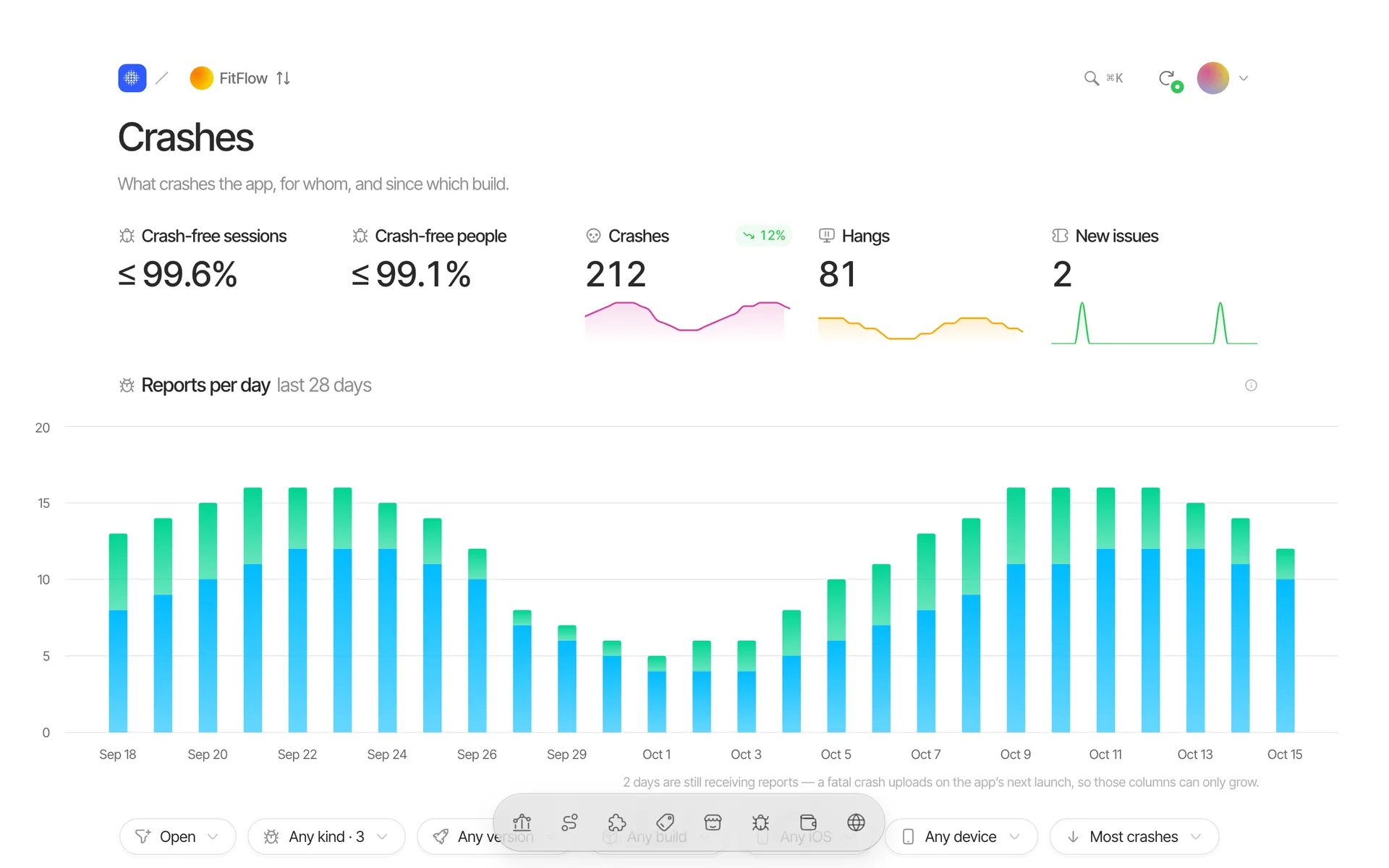
Crash and hang reporting is on by default once `configure` runs — do not add another crash reporter's handlers on top without asking (if the app already has Crashlytics or Sentry, report it and let the user decide). A crash is uploaded on the **next launch**, so it appears later, not immediately.
- `Tapll.recordError("PaymentFailed", reason: "card_declined")` or `Tapll.recordError(error)` for caught errors that matter. Not for expected control flow.
- `Tapll.leaveBreadcrumb("retrying_upload")` before risky operations — a name only, never a value.
- `Tapll.setCrashKey("plan", "pro")` for up to 8 labels on every later report. Same rules as properties: no ids, no personal data.

Upload dSYMs so crash frames get function names. Use whichever CI the project has; the key is a **server key** stored as the secret `TAPLL_SERVER_KEY` (created in Tapll → Settings → Server keys) — never paste it into the project or the prompt. The script is pinned by SHA-256 45588f5ee591…, and must be downloaded and verified exactly as shown:
- **Xcode Cloud** (`ci_scripts/ci_post_xcodebuild.sh`): Add TAPLL_SERVER_KEY to the workflow as a secret environment variable. Runs after every archive action.
```sh
#!/bin/sh
set -e
if [ "$CI_XCODEBUILD_ACTION" = "archive" ]; then
  curl -fsSL https://tapll.com/dsyms/v3.sh -o "/tmp/tapll-dsyms.sh" \
    && echo "45588f5ee591290d86e5e82a02f56e47c7256a66f303580e13e2f4caa137af8d  /tmp/tapll-dsyms.sh" | shasum -a 256 -c - \
    && bash "/tmp/tapll-dsyms.sh" "$CI_ARCHIVE_PATH"
fi
```
- **fastlane** (`fastlane/Fastfile`): After build_app (gym), which leaves the zipped dSYMs at DSYM_OUTPUT_PATH. Set TAPLL_SERVER_KEY in your CI secrets.
```ruby
lane :release do
  build_app(scheme: "MyApp")
  sh(<<~SH)
    curl -fsSL https://tapll.com/dsyms/v3.sh -o "/tmp/tapll-dsyms.sh" \
      && echo "45588f5ee591290d86e5e82a02f56e47c7256a66f303580e13e2f4caa137af8d  /tmp/tapll-dsyms.sh" | shasum -a 256 -c - \
      && bash "/tmp/tapll-dsyms.sh" "#{lane_context[SharedValues::DSYM_OUTPUT_PATH]}"
  SH
  upload_to_testflight
end
```
- **Build phase** (Run Script phase, last in the target): Release builds only. Turn off User Script Sandboxing for the target (the script reads the dSYM and uses the network), and provide TAPLL_SERVER_KEY from the environment — never paste it into the project.
```sh
[ "$CONFIGURATION" = "Release" ] || exit 0
curl -fsSL https://tapll.com/dsyms/v3.sh -o "$DERIVED_FILE_DIR/tapll-dsyms.sh" \
  && echo "45588f5ee591290d86e5e82a02f56e47c7256a66f303580e13e2f4caa137af8d  $DERIVED_FILE_DIR/tapll-dsyms.sh" | shasum -a 256 -c - \
  && bash "$DERIVED_FILE_DIR/tapll-dsyms.sh" "$DWARF_DSYM_FOLDER_PATH"
```
Set up only the one that matches the project, and tell the user to add the secret.

## Server-side events

Events that happen on the app's backend (a subscription renewed server-side, an invoice paid) go to `POST https://in.tapll.com/v1/server` with a **server key** (`sk_…`) — from the backend only, never from the app and never committed. The SDK never calls that endpoint. If the backend needs to attribute an event to the device, the app sends `Tapll.installId` to its own backend. Only mention this to the user; do not implement backend code unless asked.

## App privacy

The SDK ships a `PrivacyInfo.xcprivacy`. Tell the user which App Store privacy answers apply — you cannot change them in code:
- Product Analytics: Product Interaction, Device ID and User ID — linked to the user, used for analytics, **not** tracking. Plus anything added as traits (email, name).
- Strict Anonymous: Product Interaction, not linked to the user. Remove the Device ID and User ID entries from the app's own privacy manifest answers.
- Crash data counts as Other Diagnostic Data.
- Tapll uses no IDFA and needs no App Tracking Transparency prompt. Do not describe the data as "fully anonymous" in the app's privacy copy unless the project is Strict Anonymous.

## Verify

1. The project builds (`xcodebuild` for the app scheme, or build in Xcode) with no new warnings from the integration.
2. Run a DEBUG build in the simulator. With `logLevel = .debug` the SDK logs to the unified log under subsystem `app.tapll.sdk` (visible in the Xcode console). Invalid events are logged there with the reason — fix every one.
3. Background the app (or wait 10 s) to flush. In the Tapll panel, switch the environment to **Sandbox** — a DEBUG build is `development`, which the Production view never shows — and open **Live**. The session should appear within seconds.
4. Walk through each planned feature once and confirm its events show up under **Data** with the declared feature and role.

## Final report

Finish with:
- The files you changed.
- The event catalog as a table: event | feature | role | properties | where it fires.
- What you deliberately did **not** instrument, and why.
- What is left for a human: App Store privacy answers, the `TAPLL_SERVER_KEY` CI secret for dSYM upload, connecting purchases in Tapll Settings, and anything in the plan they still need to decide.
And the website behind it. One script tag, no cookie by default.
Under 5 KB gzipped, no dependencies. Page views, outbound links, downloads and single-page navigation are tracked for you.
<script defer src="https://cdn.tapll.com/v0/u.js"
data-key="av_…"></script><script defer src="https://cdn.tapll.com/v0/u.js"
data-key="av_…"
data-mode="product_analytics"></script>Until a visitor chooses, nothing is stored or sent, and Accept and Decline carry equal weight. Served from cdn.tapll.com/v0/u.js.
- 01
Traffic and sources
Visitors, visits, page views, bounce rate and visit duration against the previous period, with channels, referrers, UTM campaigns and entry and exit pages.
- 02
One project for app + site
The website joins your app’s project: same key, same privacy mode, and a platform switcher on Sessions, Screens, Retention, Crashes and Data.
- 03
Cookieless by default
Nothing is stored in the browser, so no consent banner is needed. For retention and identity, switch to product analytics and use the optional built-in banner.
Your SDK is not the only source. The website, revenue, the App Store and NPS land next to it.
Every source keeps its own definition and its own clock. A number from Apple says it is from Apple, and a day Apple has not reported yet shows as a gap, not a zero.
- Revenue from RevenueCat or Apple’s own notifications, counted once — never both
- Downloads, ratings and keyword positions from the App Store, on their own report days
- Stripe and Paddle for the website, tied to the visit’s channel and kept apart from in-app money
- NPS from Survicate: the score, never the comment
Integrations
Questions it answers without building a report.
- Which channels bring paying customers?Stripe and Paddle payments next to the channel and campaign of the visit that made them.Learn more
- How does my landing page feed my app?The website and the app in one project, with a platform switcher, and the App Store’s referrers beside the site’s channels.Learn more
- Did my last release help or hurt?Each version’s adoption, crash-free rate and the app’s numbers in the days before and after it.Learn more
Simple pricing. Pay for events.
Plans differ only by monthly events and how long data is kept. Every view and integration is in every plan.
€0/ month
- 100,000 events a month
- Session detail kept 30 days
- Daily aggregates kept 6 months
- Every view, every integration
€9/ month
or €90 a year
- 1,000,000 events a month
- Session detail kept 90 days
- Daily aggregates kept 24 months
- Every view, every integration
€29/ month
or €290 a year
- 5,000,000 events a month
- Session detail kept 180 days
- Daily aggregates kept 36 months
- Every view, every integration
€79/ month
or €790 a year
- 20,000,000 events a month
- Session detail kept 365 days
- Daily aggregates kept 60 months
- Every view, every integration
What people ask before they install.
How is Tapll different from Firebase or Mixpanel?
You do not build reports. The panel is a fixed set of answers: who is in the app now, what their sessions looked like, whether a feature is used to the end, whether a release helped, and what goes with subscriptions. Every number has a written definition and a comparison basis.
What about privacy?
Two modes, set per project. Strict anonymous keeps no identifier across sessions and counts aggregates only; product analytics uses a pseudonymous id (an install id in the app). On a website, strict anonymous stores nothing in the browser, so no consent banner is needed, and product analytics stores an id and can show a built-in consent banner. IP addresses are truncated before they are stored, and the mode is enforced when events arrive, not in the panel.
How does Live work?
The SDK sends events in small batches; each one is stored and pushed to your project’s live view over a WebSocket. An event is usually on screen within a couple of seconds of leaving the phone.
Why does Tapll say “correlation” and never “impact”?
A before/after comparison around a release includes every version active in the window, seasonality and your marketing. Tapll shows the difference and how it was measured, and never calls it the cause.
Is there crash reporting? Session replay?
Crash reporting, yes: crashes are grouped into issues with a crash-free rate per release, and dSYMs uploaded from CI name the stack frames. Video session replay is not part of Tapll. Nor are heatmaps, Web Vitals or JavaScript error tracking on websites.
Can one project cover my app and my website?
Yes. An app and its website share one project, one write key and one privacy mode. Platform is a dimension of the data, and Sessions, Screens, Retention, Crashes and Data have a switcher per platform. Website money from Stripe or Paddle is never added to in-app money.
Do I need a cookie banner on my website?
Not in strict anonymous mode, the default: the script stores nothing in the browser, and visitors are recognised for one day by a server-side hash. In product analytics mode the script stores an id, so ask first; the optional banner (`data-consent="banner"`) gives Accept and Decline equal weight. This describes what the script does and is not legal advice.
Which platforms are supported?
iOS, through a Swift package. Your own backend can send events too, through a separate server endpoint. Websites use one script tag, cookieless by default, and share a project with their app. Not published yet: Android, Flutter and React Native.
Where is my data stored?
On Cloudflare (Workers, D1 and R2). Session detail is kept for your plan’s retention window and daily aggregates for longer; both windows are listed on the pricing page.